Rego – Training catalog (ENG)
Training catalog
Training catalog is in Training -> Management menu. Organizations admin user gives user permissions for Training catalog.

Structure of Training Catalog

Training catalog has a heading for the name of the training and below that all the names for all the courses that are included to the training.
When you create a new training with Create new-button, you get a new heading to the catalog. When you select +-button to the right on the heading line, you get a course line, which automatically has a parent-id that refers to heading line.
The courses for all language options are in the same training catalog.
Course upload to Training Catalog
Courses are uploaded to training catalog as Scorm -packages with courses’ technical implementation and course content.
Training’s name is obligatory for a heading of a training. Parent ID is empty.
To help administration it’s recommended that the name of the training both in training catalog and in the publications from training management are the same.
Finnish courses are published using Finnish as language option in the user interface. Other languages are published using English as language option.

Parent ID is generated automatically for a course. The name of the course is obligatory. It is recommended to save the name of the course before uploading the contents. The contents can be fetched from file explorer either by clicking or dragging. To ensure the upload of Scorm package, you can reopen the course. When the upload has been successful, there is an address on the SCORM -line.

Training management
Courses are created on Training -> Management -> Training management page with Create new -button.

Information for a new training

The title of the training is obligatory. Title image is shown in users’ own trainings and it normally is related to training content.

Training classifications:

Online training
When you select eLearning as a Classification, a new line appears for determining the Online training ID.

Select -button opens a menu, where are all the courses uploaded to Training catalog. The selection automatically adds the training ID and marks Rego LMS.
After the course is saved, the name of the course (or in some cases the names of several courses) appear to the end of the page.
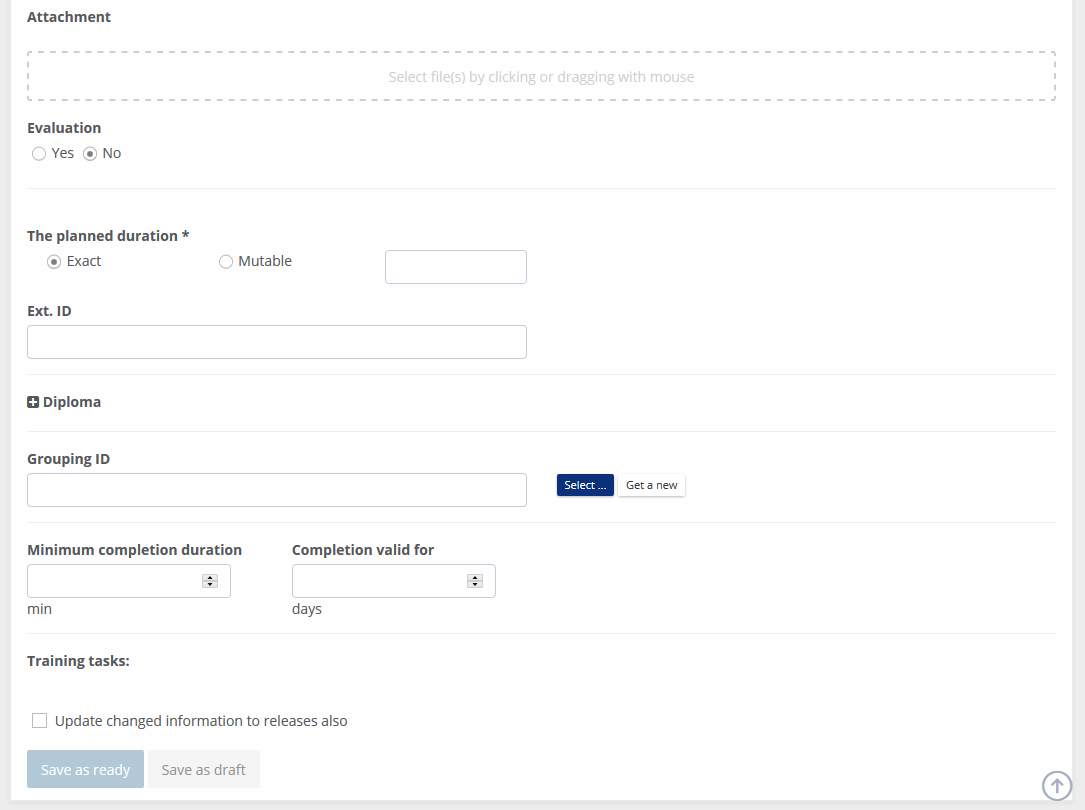
Training can be saved only after all obligatory information is inserted.
Publication
After the training is saved, it will be published to be seen by the users.
Publication is done for a training which is viewed in Training -> Management -> Training management. Each training needs own publication.
Training can be published either for a selected group of users, selected organization units or to all the users in the organization. The training can be shown in the task list on the organizations Home view and in the list of Own trainings.
You can create several publications for one training, with different options.

From Training management view you can move directly to publications or to edit mode.
